Pay Your Invoice
Settle your KG Confort invoice with ease. Choose the payment method that suits you from the options below.
Interac e-Transfer
Send an Interac e-Transfer from your banking app.
- Email [email protected]
- Security question Your full name
- Answer The last 4 digits of your phone number
Cheque
Mail your cheque or hand it directly to your technician.
- Payable to KG Confort
-
Mailing address
1505, Autoroute 440 Ouest
Laval (QC) H7L 3W3
Credit Card
Pay online in a few clicks through the secure link on your invoice. Visa, Mastercard, American Express and Discover accepted — bank-grade SSL encryption.
See the stepsPay by credit card, step by step
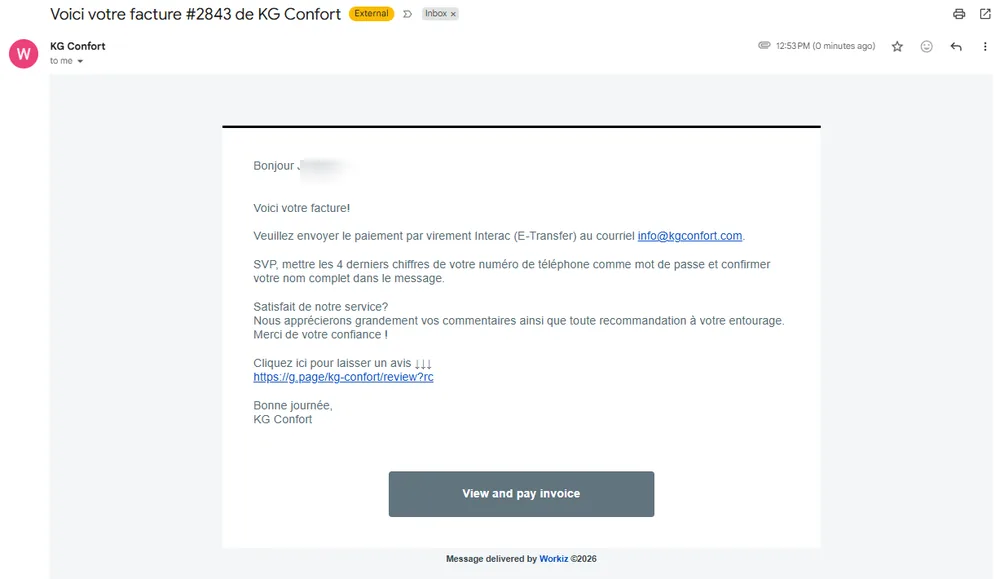
Open your invoice email
You receive an email from KG Confort with your invoice details. Click the "View and pay invoice" button at the bottom of the message.
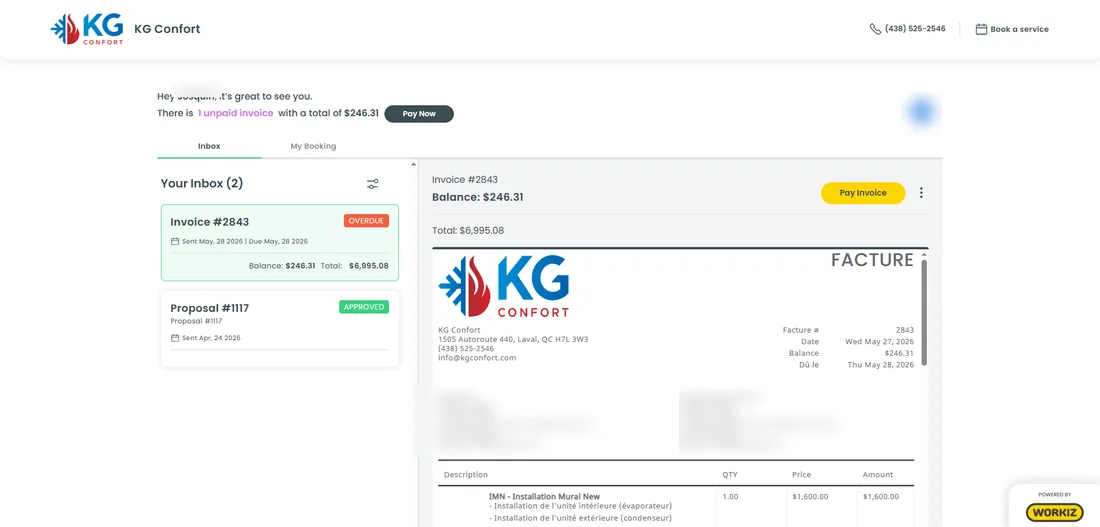
Go to your client portal
Your client portal opens with your list of invoices. Find the invoice to pay, then click "Pay Invoice".
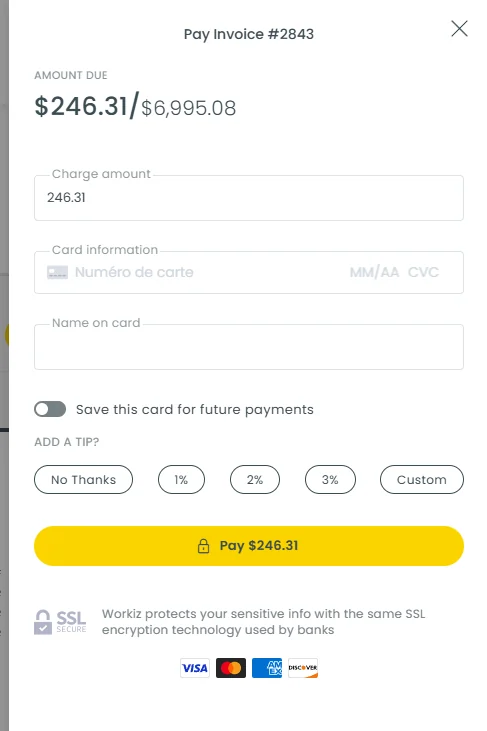
Enter your card information
Enter the amount to pay, your credit card information and the cardholder name, then click "Pay" to confirm. The payment is fully secure.